

Dudhsagar Falls. By Surendra Rajawat.
One of the most overlooked aspects of reading books is taking helpful notes.
No matter how many books you read in a month or a year, you'll probably only take away around 10% of what the book has to offer without proper note-taking.
When reading books on my Kindle, I rely on the highlighting feature to mark essential ideas and take notes.
But with physical books, this gets tricky.
I used to highlight interesting passages using a highlighter pen, which I can revisit later.
But, this process had a major drawback. I had to rescan the entire book to spot the highlighted passages.
Lately, I've started using inexpensive page markers to solve this problem:

Whenever I find something interesting and worth highlighting, I highlight the lines or passages and then put a marker on the page.
And while putting a page marker, I write 1–2 words on what's highlighted. It can be the name of the concept highlighted, or a process, anything to quickly spot a highlight without having to open the book to that page:
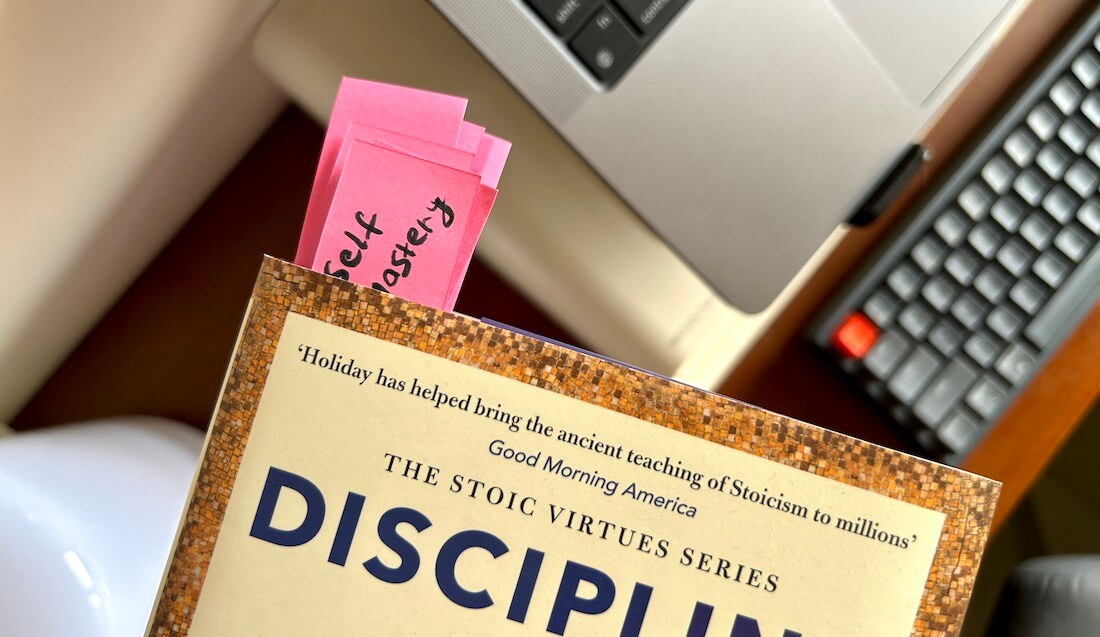
I'm still new to this practice, but it already shows promising results.
Sifting through marked ideas in a physical book is way easier with this approach than highlighting and forgetting.
If you take notes physically, what's your process?
I'd love to know. Reply to this email.
Now, onto the rest of this newsletter issue and this week's recommendations:
 Your Next Read

A collection of 10 wonderful life rules illustrated with a heartwarming story that makes it all the easy to grasp the concepts. A short but fantastic read for the weekend.
Personal Growth
 Apps & Services
Beautiful markdown-based notes app
Chat with PDFs on your Mac
Quickest way to set reminders and countdowns
 Handy Shortcut
⌥
Right-Click
 Interesting Reads
 Longform
4 min read
15 min read
4 min read
 Videos

A story about how grit pays off in the long term if you can stay focused on your goals.
 Quick Feedback
What do you think about this week's newsletter?
Loving the Hulry newsletter? Please forward this issue to a friend who might enjoy it too.

A significant amount of effort and time goes into bringing this newsletter and the articles over at hulry.com. Support me on this journey by buying me some coffee.
Buy me a Coffee187/1 Kudlu Road, Hosapalya, Bangalore, India — 560068
Were you forwarded this newsletter? Get your own subscription here.