

Zenitsu Agatsuma. By Philip Sue.
I've been enjoying Arc's new Boost feature since it came out last week.
Although there have been many attempts in the past to alter website designs via browser extensions, this is the most intuitive approach I've seen so far.
Pull up the Boost panel on any website, move around some sliders, click some buttons, and you can have a completely personalised version of any website you use:
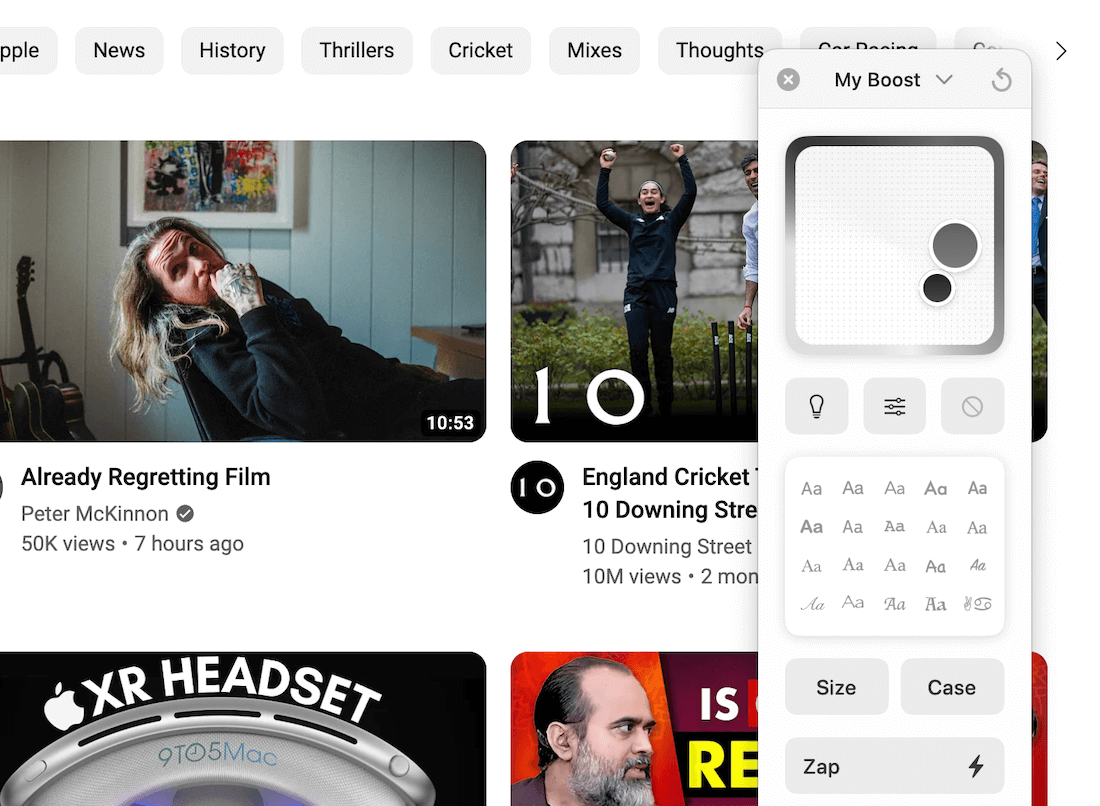
Now:
I didn't go crazy on all websites and changed the font to Comic Sans, but what I've been using the most is the Zap functionality.
With this functionality, you can zap away elements you don't like from any website with a couple of clicks.
For example, I zapped away the annoying and seldom used What's happening and Who to follow sections from the Twitter homepage:
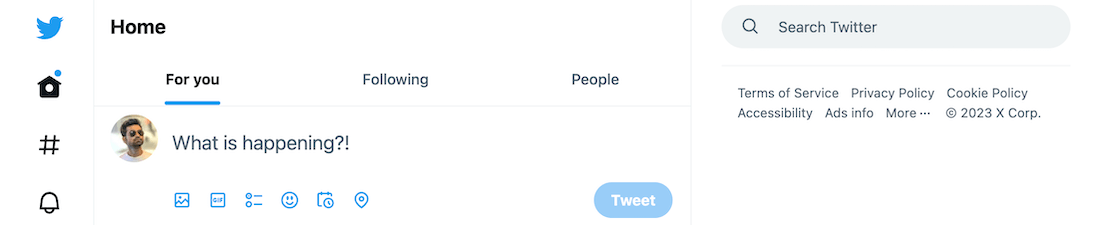
Away from the distractions, and hello to a more focused Twitter experience.
If you're using Arc, try this handy new feature.
You can make your frequently visited website's colours, text size and more elements suited to your needs. Thus, creating a better experience for yourself.
If you need some inspiration to get started, here's a gallery of Arc Boosts from people around the world.
And if you need an invite for Arc, use my link.
Now, onto the rest of this newsletter issue and this week's recommendations:
 Your Next Read

Learn about the voices in your head, how they can be both constructive and destructive and how you can harness them for the better with this book.
Personal Growth
 Apps & Services
Turn ramblings into well-formed notes
Launch apps on macOS with keyboard shortcuts
Extract key information from your Google Search results
 Handy Shortcut
⌘
Shift
8
 Interesting Reads
 Longform
3 min read
5 min read
 Videos
Frederik Imbo on how to deal with situations with a calm head and when not to take things personally.
 Quick Feedback
What do you think about this week's newsletter?
Loving the Hulry newsletter? Please forward this issue to a friend who might enjoy it too.

A significant amount of effort and time goes into bringing this newsletter and the articles over at hulry.com. Support me on this journey by buying me some coffee.
Buy me a Coffee187/1 Kudlu Road, Hosapalya, Bangalore, India — 560068
Were you forwarded this newsletter? Get your own subscription here.