

Reborn. By Brellias.
Hey there,
Let's talk about a personal finance habit that has drastically changed how I look at money.
I track every expense manually on the Wallet app.
That's right, as soon as I spend money, I open the Wallet app and record the transaction, properly categorised and with a note.
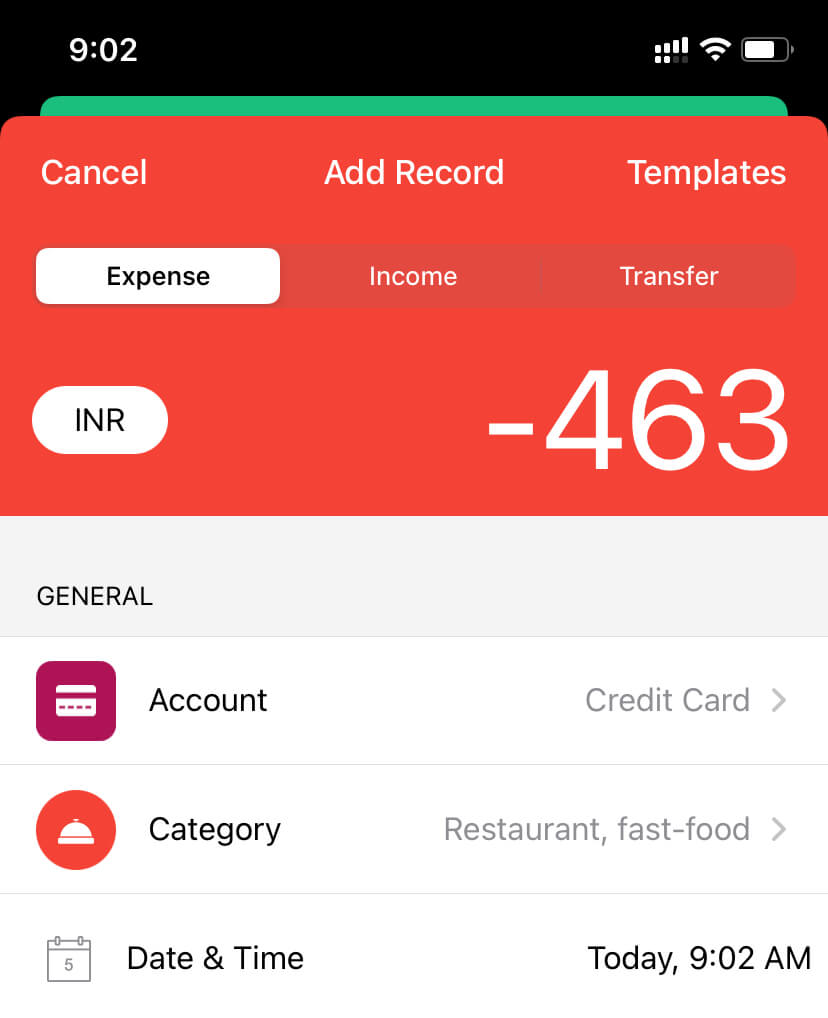
In the age of automation, this habit might seem tedious and outright mental, but it isn't.
Here's why:
By manually recording each expense, I'm more aware of my spending. And every time I open the Wallet app to record an expense, I see my current bank and credit card balances.
Automated trackers take away this benefit because you rarely look at your expenses or current balances.
The first step to getting a grip on your finances is to know how you spend your money each month.
So:
If you're not tracking your daily expenses or using an automated tracker, give this method a try.
You don't have to use the Wallet app. You can use a simple app like Five Cents to record your transactions.
You'll be more aware of your spending habits and keep useless expenses away with time.
Now, grab a coffee, sit tight, and enjoy this week's issue:
Book to Read

The Comfort Crisis
We've become adapted to too much comfort in our lives. Sometimes, leaving your comfort zone and plunging into the unknown can be a refreshing and rejuvenating experience.
View it on Goodreads
 Apps & Services
Set meeting agendas and take shared notes
Pomodoro timer with Lo-Fi music
Paste plain-text by default
Send emails that don't sound spammy
Taking the Shortcut
Shift
⌘
H
 Interesting Reads
2 min read
9 min read
3 min read
 Classifieds
-
Thunk Notes helps you get 1% better every day by building a morning routine and daily template. They're offering 20% off your first 3 months. Use the code HULRY20 at checkout
-
RemNote is an All-in-One tool for thinking and learning that combines spaced repetition, PDFs, backlinks, and more! A Digital Second-Brain for all your needs! 🧠💻
-
Write emails, replies, and message faster with Briskine templates and keyboard shortcuts.
-
Too many photos and videos on your computer? Try ImageRanger software which respects your privacy. Local facial recognition, GPS tagging and much more!
Classifieds are paid sponsorships that keep Hulry running and are seen by over 1,500 people each week. Book a slot ➔
 Thread

 Quick Feedback
What do you think about this week's newsletter?
Loving the Hulry newsletter? Please forward this issue to a friend who might enjoy it too.

A significant amount of effort and time goes into bringing this newsletter and the articles over at hulry.com. Support me on this journey by buying me some coffee.
Buy me a Coffee187/1 Kudlu Road, Hosapalya, Bangalore, India — 560068
Were you forwarded this newsletter? Get your own subscription here.