
Occasionally, I'd drag a folder to a destination that already has another folder with the same name.
In such situations, macOS Finder offers us two choices: stop the transfer or replace the destination folder with this newly dragged folder.
This is a problem when I want files from both folders to remain intact.
Turns out, there's a hidden action that allows this kind of merge.
While dragging a new folder to a destination containing a folder with the same name, we can hold the ⌥ key to reveal a third option called Merge:
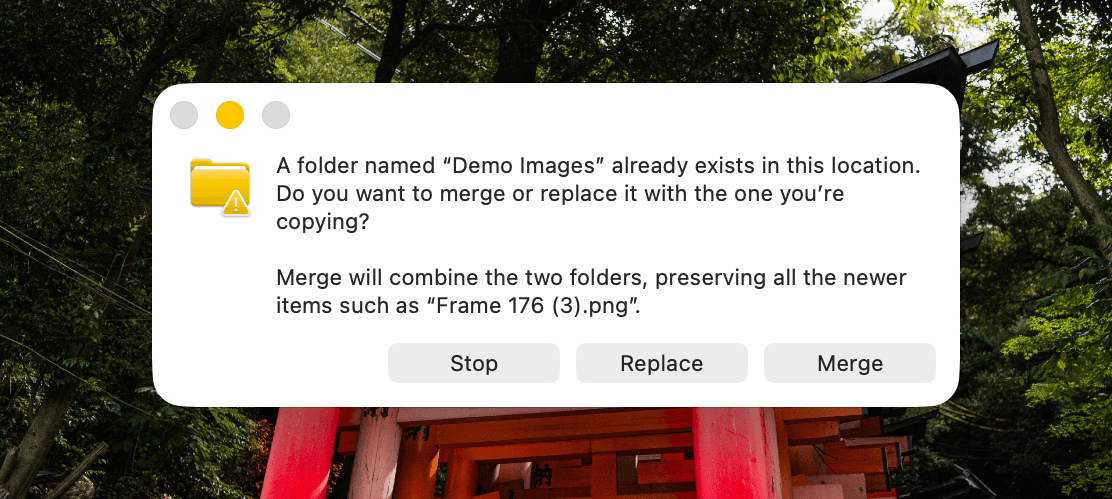
The new Merge option combines files from both folders into the destination folder. Thus, it preserves everything instead of replacing important files.
This might not be an everyday situation for you, but when you find yourself in one, remember this action.
In Today's Cover: The 2026 BWF World Championships badminton tournament, currently being played in India.
Now, before you move on to the rest of this newsletter issue, here are a few words from:
 This Week's Sponsor
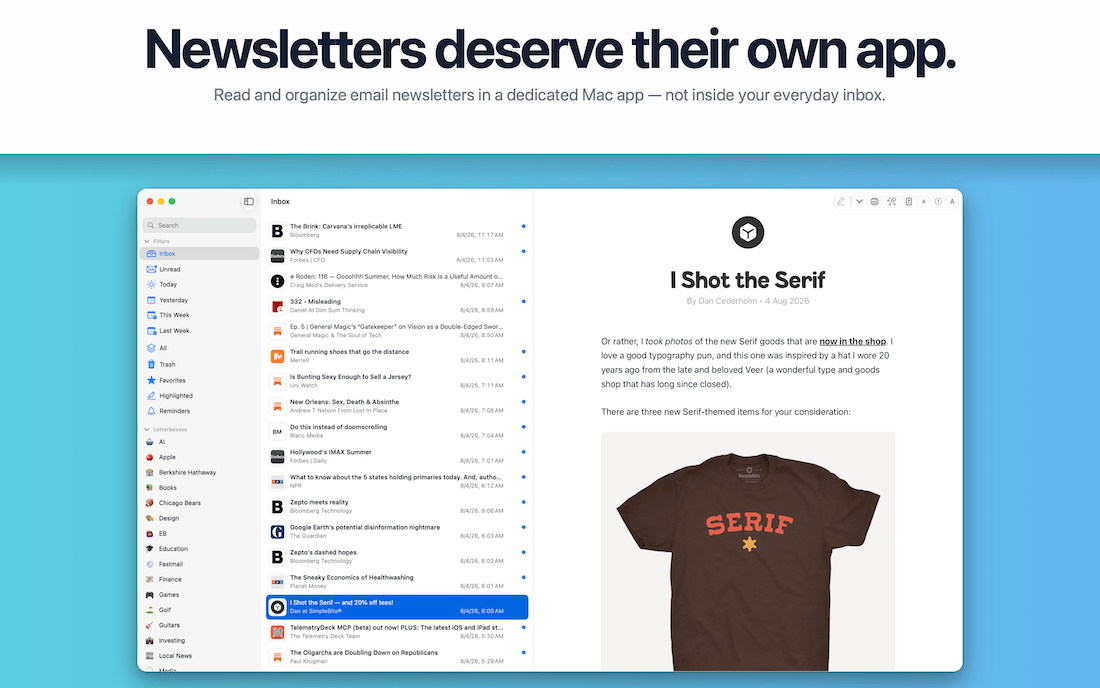
If you look forward to newsletters every week, Letterboxx was built for you.
It gives the newsletters you already receive a dedicated home on your Mac — organized, searchable, highlightable, and beautifully designed.
Your inbox isn’t a library. Letterboxx is.
Sponsorships are paid callouts seen by over 4,126 people every Friday. Promote your product or service.
 Your Next Read

Thriving
Chris has been living in and filming Japan for over 10 years. This book is a collection of his stories around the country, gathered within the last decade.
 Apps & Services
Make your MacBook notch useful
A beautiful app to see your events and tasks
Turn your days into a comic book
 Handy Shortcut
⌘
3
 Interesting Reads
 Longform
6 min read
11 min read
12 min read
 Watch Next

An episode from Vox about the importance of reading.
 Want to join my inner circle?

Join a club that pays you back handsomely through knowledge and skills that help you get 1% better every day.
For a modest yearly fee, you get:
- A growing collection of member-only series and guides
- 23 highly actionable book summaries
- Invite to a member-only Discord community
- 28 hand-picked app deals that save you over $333
- Flat 50% off on other Hulry products like apps, books and more
- My eternal gratitude for funding my work ❤️

Hi! 👋 I'm Rahul, the person behind Hulry and the one who sent you this newsletter.
Thank you for reading this issue.
Cover illustration by Sukriti Sharma.
MADE WHILE LISTENING TO
 where do we go from here by nightly
Kudlu Road, Hosapalya, Bangalore, India — 560068
Were you forwarded this newsletter? Get your own subscription here.