
I've noticed the Ask button on YouTube videos for quite a while now, but I didn't find a relevant use case for it until today.
I was watching a travel video, and I thought:
“What if AI could make a well-structured list of all the spots mentioned in this video while I watch the video uninterrupted?”
So, I tried asking YouTube's Ask feature to do just that, and it worked:
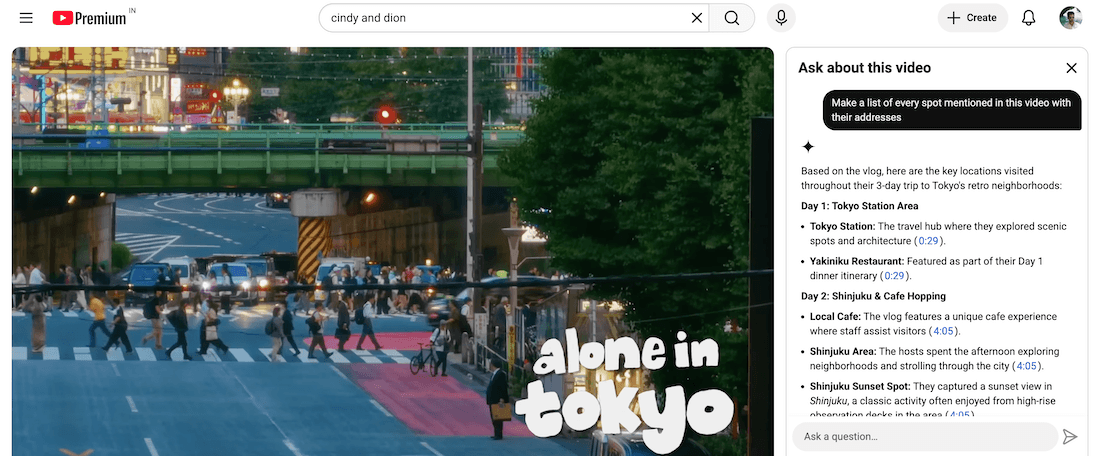
When I asked it to convert the list into a sheet, it didn't create a Google Sheet or downloadable CSV, though. Instead, it listed everything in a table.
This approach also works in the Gemini app.
I gave Gemini a link to another travel video and asked it to make a list of all mentioned spots from the video in a sheet, and it did:
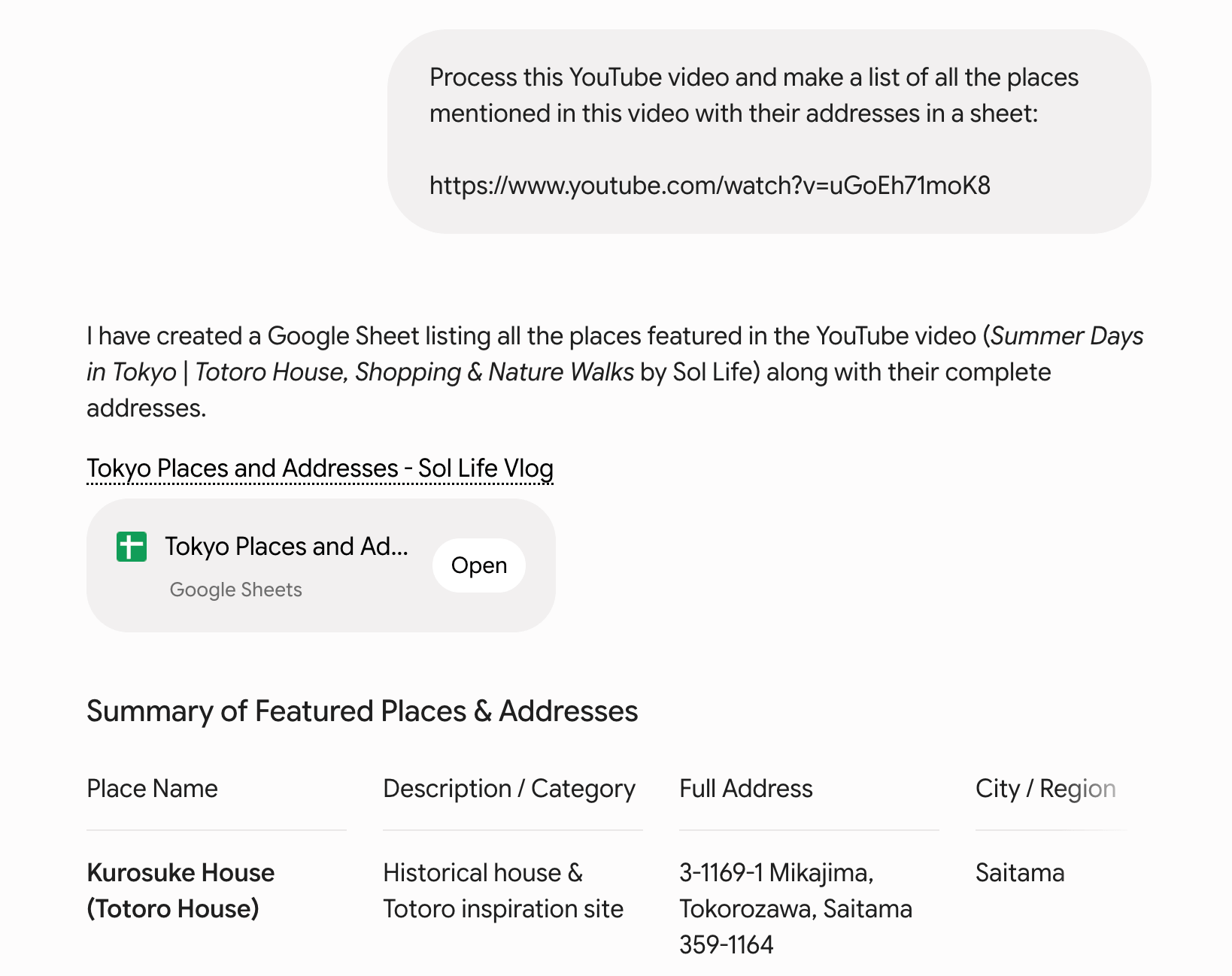
YouTube can't access my Google Workspace to create sheets, but Gemini can.
Unfortunately, Gemini couldn't make a wishlist of the places directly in Google Maps, but maybe that's a story for later.
For now, this is a handy way to list places from travel videos without having to pause repeatedly and note the spots ourselves.
Try it out.
In Today's Cover: The humble compass, a magical human invention that has helped us travel afar and explore this planet.
Now, speaking of magic, have you tried the ScreenPlace app?
Before you move on to the rest of this newsletter issue, here are a few words from:
 This Week's Sponsor

ScreenPlace remembers exactly where every window should be on your Mac and automatically puts it back in its place - never rearrange or resize a window manually again.
First 50 customers get 50% off ScreenPlace Ultra with the discount code: HULRY
Sponsorships are paid callouts seen by over 4,126 people every Friday. Promote your product or service.
 Your Next Read

Memoir
A remarkable story of how Nike overcame challenges to become one of the world's leading footwear brands. A fast read, but it is sprinkled with small moments of learning throughout.
 Apps & Services
A digital shoebox for your clippings
Browse Wikipedia like StumbleUpon
Save your memorable event of the day
 Handy Shortcut
⌃
Shift
4
 Interesting Reads
34 min read
15 min read
17 min read
4 min read
 Watch Next

This video about van life in Japan is both relaxing and inspiring.
 Want to join my inner circle?

Join a club that pays you back handsomely through knowledge and skills that help you get 1% better every day.
For a modest yearly fee, you get:
- A growing collection of member-only series and guides
- 23 highly actionable book summaries
- Invite to a member-only Discord community
- 28 hand-picked app deals that save you over $333
- Flat 50% off on other Hulry products like apps, books and more
- My eternal gratitude for funding my work ❤️

Hi! 👋 I'm Rahul, the person behind Hulry and the one who sent you this newsletter.
Thank you for reading this issue.
Cover illustration by Sukriti Sharma.
MADE WHILE LISTENING TO
 Don't Leave by A R I Z O N A
Kudlu Road, Hosapalya, Bangalore, India — 560068
Were you forwarded this newsletter? Get your own subscription here.