
macOS has a relatively unknown feature where it lets you define custom keyboard shortcuts for any app.
For example, I've recently switched to Brave for browsing, and I use Reeder to save articles for later.
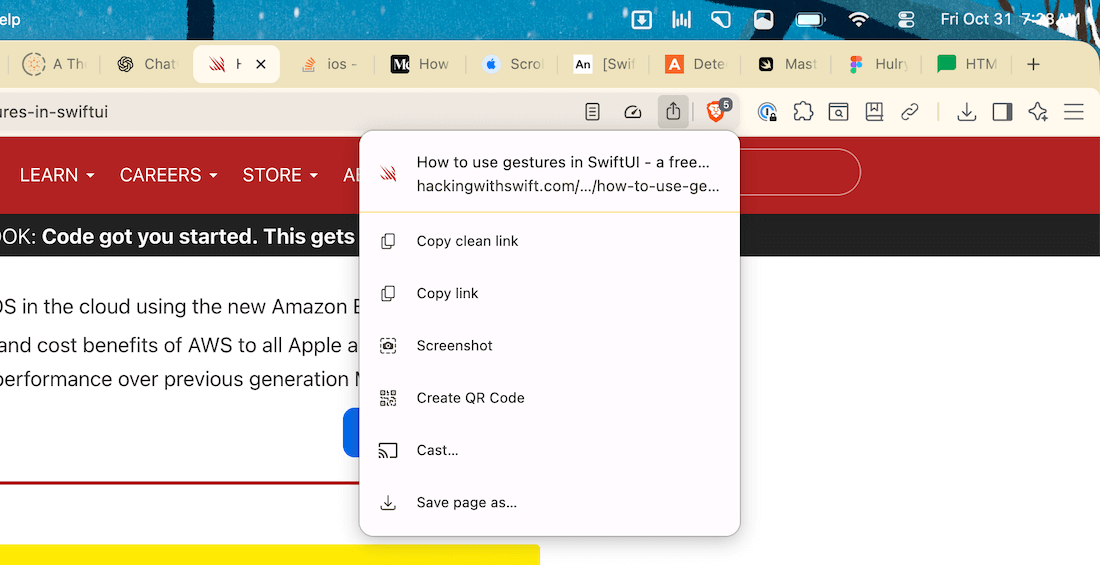
Now, unlike Safari, the share button on Brave doesn't list the available app actions, like the one from Reeder:
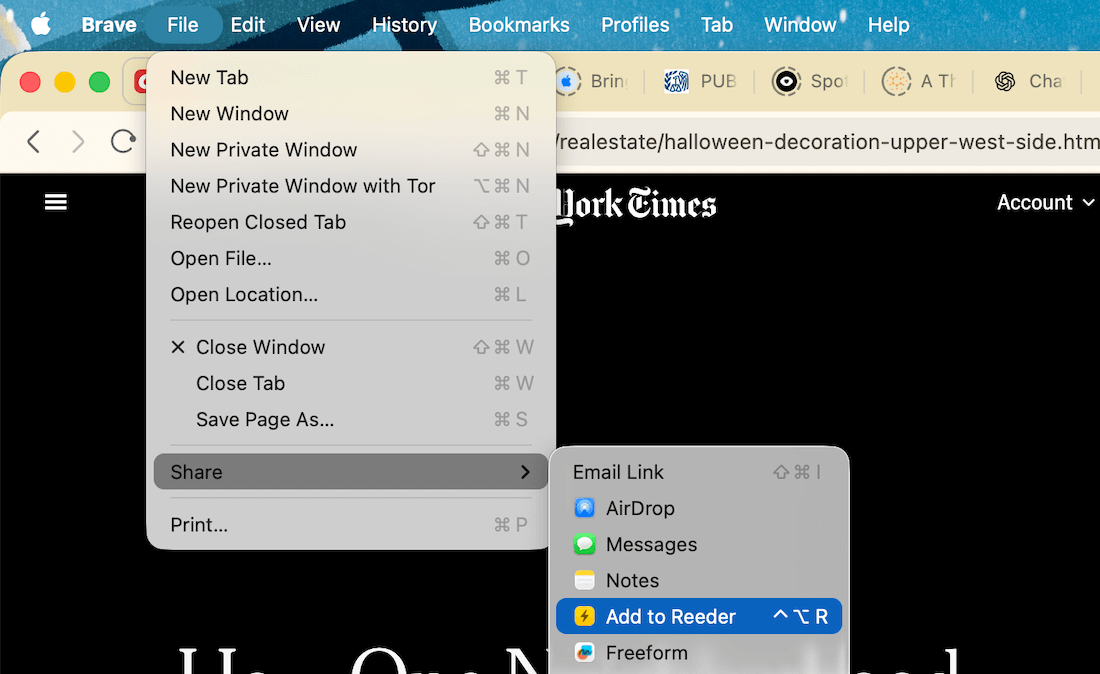
The option to save a page to Reeder requires a handful of clicks, being hidden under File → Share → Add to Reeder, with no built-in keyboard shortcut for it.
To make this task easier, I added a custom keyboard shortcut that saves the current article to Reeder as soon as I press ⌃⌥R.
Here's how:
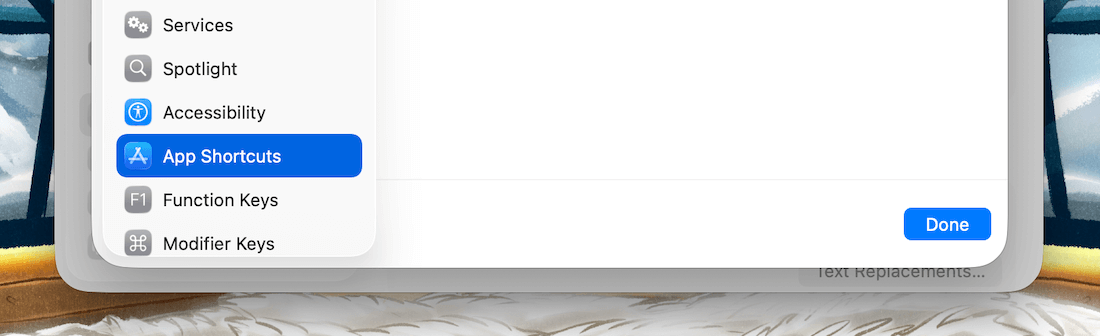
Open System Settings and navigate to Keyboard → Keyboard Shortcuts → App Shortcuts:
Here, add a new shortcut using the + button, choose the app you're creating the shortcut for, and type the menu action title exactly how it appears in the app's menu:
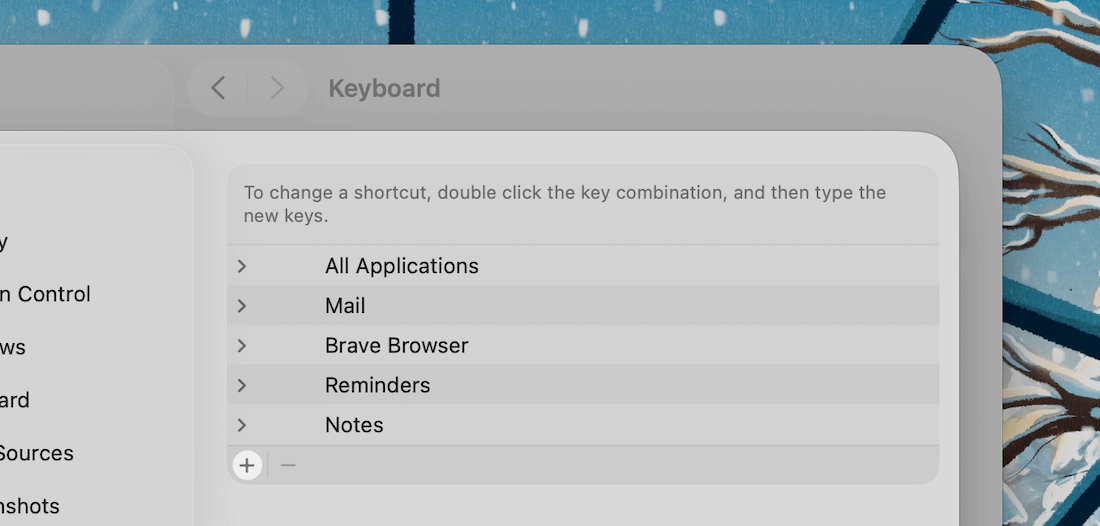
For example, I put Add to Reeder for Brave, because that's what the menu action is titled.
Then, choose your preferred key combination for the shortcut, and it's done.
Now, every time I press ⌃⌥R, macOS will run the action File → Share → Add to Reeder under the hood for me.
This newly assigned keyboard shortcut even appears beside the menu bar action like this:
Try it out when you feel like an app action could've been a keyboard shortcut.
Now, speaking of easy-access workflows, have you checked Bloom yet?
Before you move on to the rest of this newsletter issue, here are a few words from:
 This Week's Sponsor
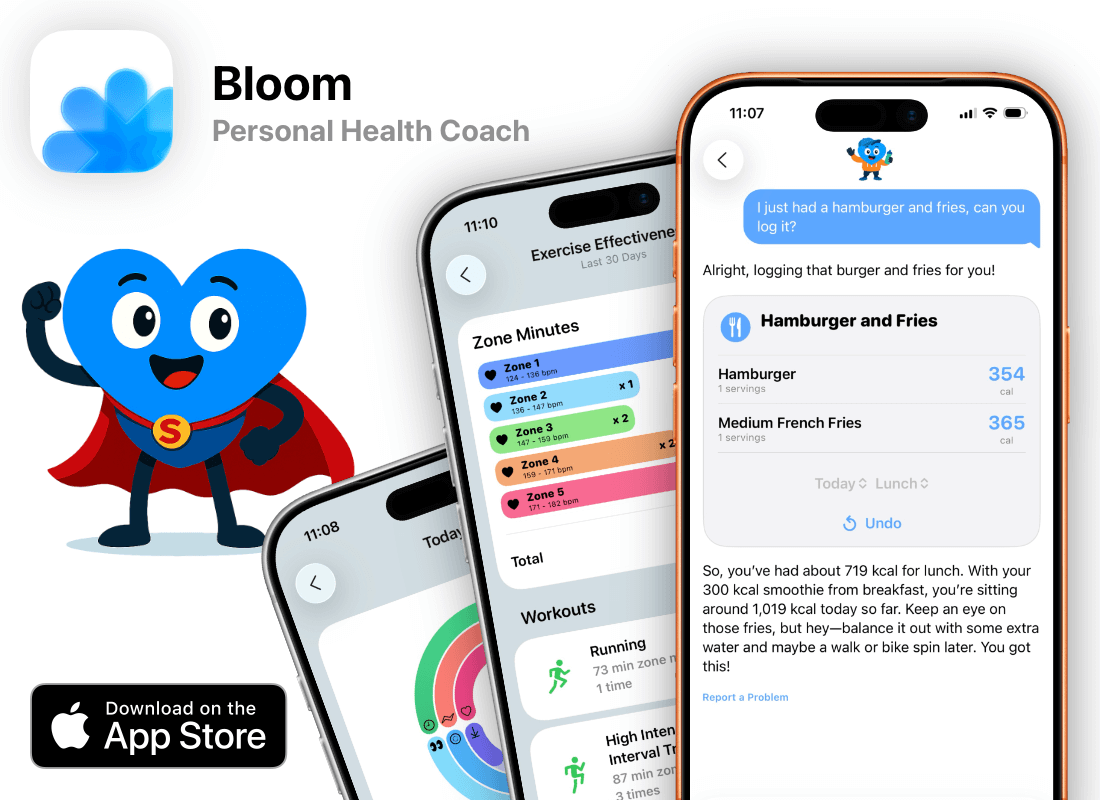
Meet Bud, your personal health coach inside Bloom.
Ask Bud questions about your sleep, workouts, meals, or anything health related, and Bud helps you figure out how to make sense of it.
Bloom connects with Apple Health and helps explain your health data in plain English.
Sponsorships are paid callouts seen by over 4,315 people every Friday. Promote your product or service.
 Your Next Read

Memoir
Craig Mod is known for his long walks across Japan through his delightful pop-up newsletters. This book gives us a peek into a 300-mile walk and the stories along the way.
 Apps & Services
Your tasks and events in one focused view
A better navigation and tagging view for Obsidian
A new pro camera app for iPhone
 Handy Shortcut
⌘
G
 Interesting Reads
20 min read
5 min read
9 min read
 Watch Next

This short tutorial will help you set up a well-organised book library inside Obsidian in a few minutes.
 Want to join my inner
circle?
Want to join my inner
circle?

Join a club that pays you back handsomely through knowledge and skills that help you get 1% better every day.
For a one-time fee, yes, not a subscription, you get:
- A growing collection of member-only series and guides
- 23 highly actionable book summaries
- Invite to a member-only Discord community
- 24 hand-picked app deals that save you good money
- Flat 50% off on other Hulry products like apps, books and more
- My eternal gratitude for funding my work ❤️

Hi! 👋 I'm Rahul, the person behind Hulry and the one who sent you this newsletter.
Thank you for reading this issue.
Cover illustration by Sukriti Sharma.
MADE WHILE LISTENING TO

Kudlu Road, Hosapalya, Bangalore, India — 560068
Were you forwarded this newsletter? Get your own subscription here.