The latest versions of macOS, iOS and iPadOS are here, and I'm loving them on all my devices.
Here are a few things that I've been enjoying so far:
1. Liquid glass
There has been a mixed reaction to this from the crowd, but I'm liking what I see on the screen every day:
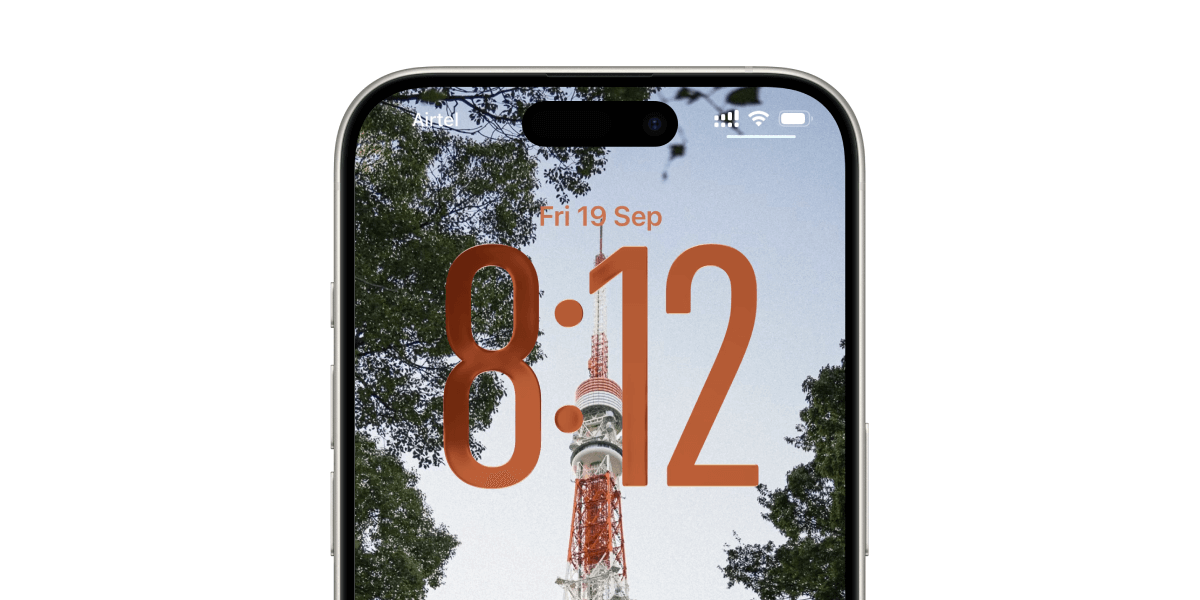
Apple's apps and some tastefully redesigned third-party apps, such as Sequel, Sky Guide and Paste, do bring out the best in this design system.
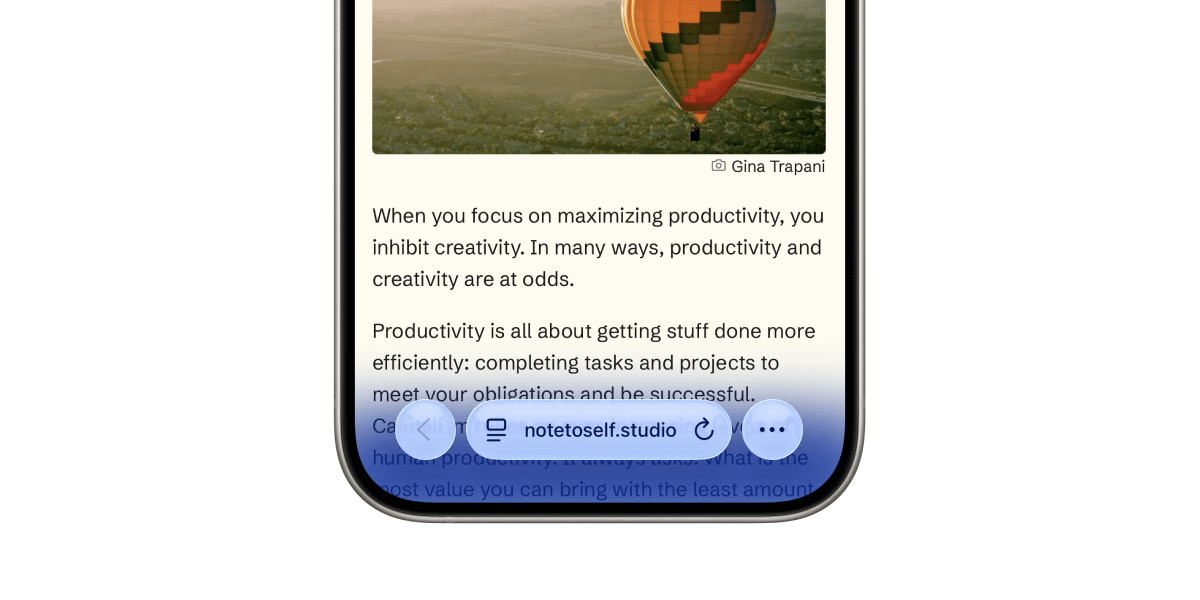
Also, Safari on iOS is now the most gorgeous and immersive browser I've ever used:
2. Spotlight on macOS Tahoe
I've returned to Spotlight on my Mac after using Raycast for a while, and I recreated most of the custom actions I was using in Raycast.
For example, I used Quick Links in Raycast to open the Goodreads page of the books I recommend here. I set up a similar action for Spotlight using Shortcuts:
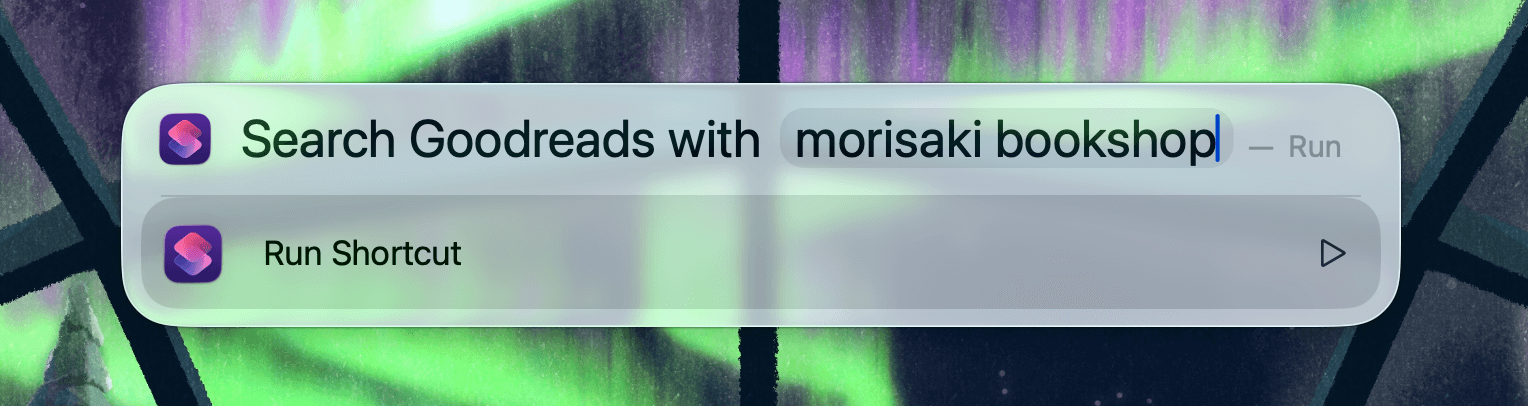
Another custom extension I created for Raycast to clean up copied links works the same on Spotlight via Shortcuts:

I can even activate Shakkei scenes from Spotlight now:
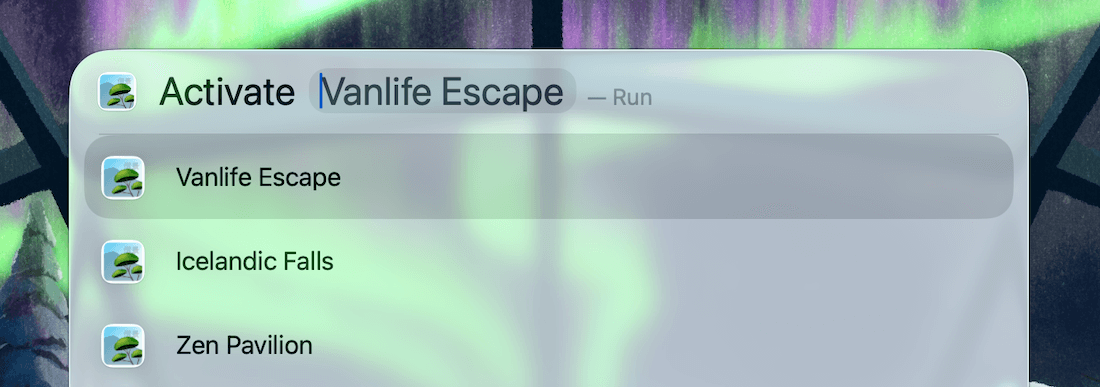
The only custom extension left to recreate for me is one for downloading YouTube Video thumbnails. I'm fairly confident I can recreate it using Shortcuts.
I'm not saying Raycast is completely useless now. For me, Spotlight can now do everything I used Raycast for.
3. Shortcut automation on macOS
Yes, finally.
I've been wanting this for so long, and now we can set up shortcuts to run automatically on specific triggers:
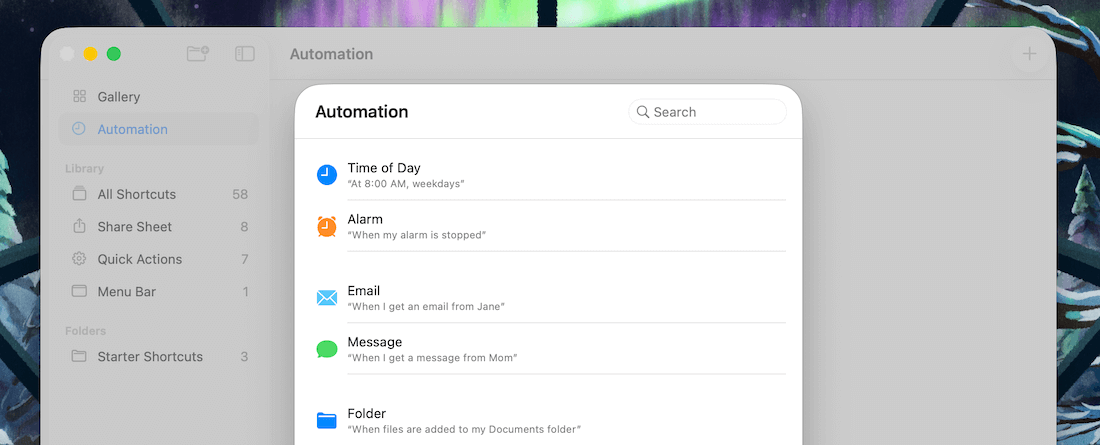
I'm thinking of some folder automation using this. I'll share more after I've done some experimenting.
4. iPad is now a Mini Mac
iPad is slowly transforming into a mini Mac with every release, and I love the new menu bar on apps:
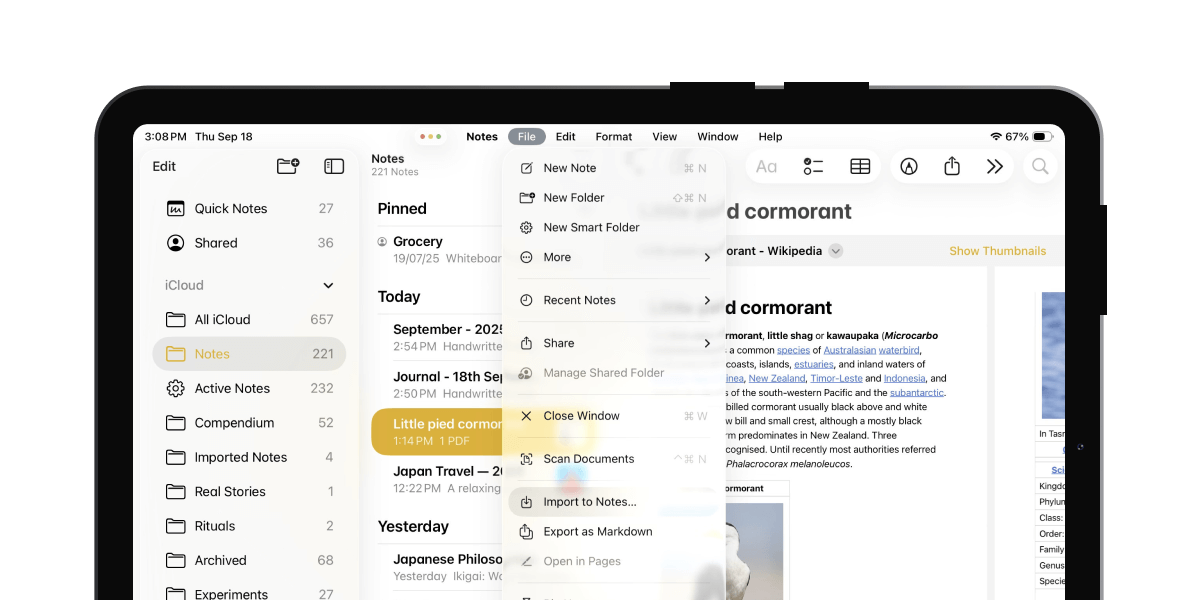
This is a welcome step to utilise the bigger screen estate to add more power to iPadOS.
Have you updated to these new releases? What are your thoughts on these new OS versions?
The stock apps, Notes, Reminders and Mail received updates along with the latest operating systems, and I've started updating the Back to Basics guides with refreshed recordings and updated tips.
I finished updating the guide on Notes. Reminders and Mail will follow.
Now, let's move on to the rest of this newsletter issue:
 Your Next Read
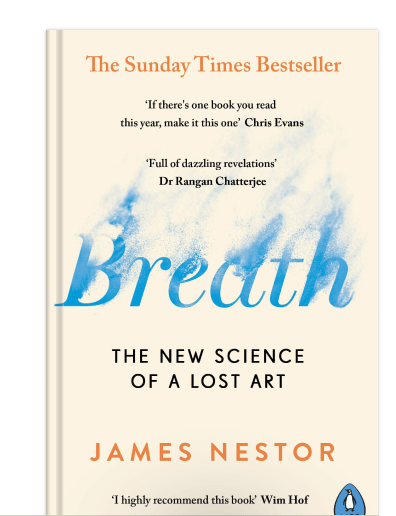
Health
How we breathe affects how our bodies function and ultimately shapes us. Although a simple and automated mechanism, there's more to breathing than you think.
 Apps & Services
End-to-end encrypted photo storage
A way to relax using your phone
Track your habit through daily photos
 Handy Shortcut
⌘
3
 Interesting Reads
 Back to Basics
8 min read
 Watch Next
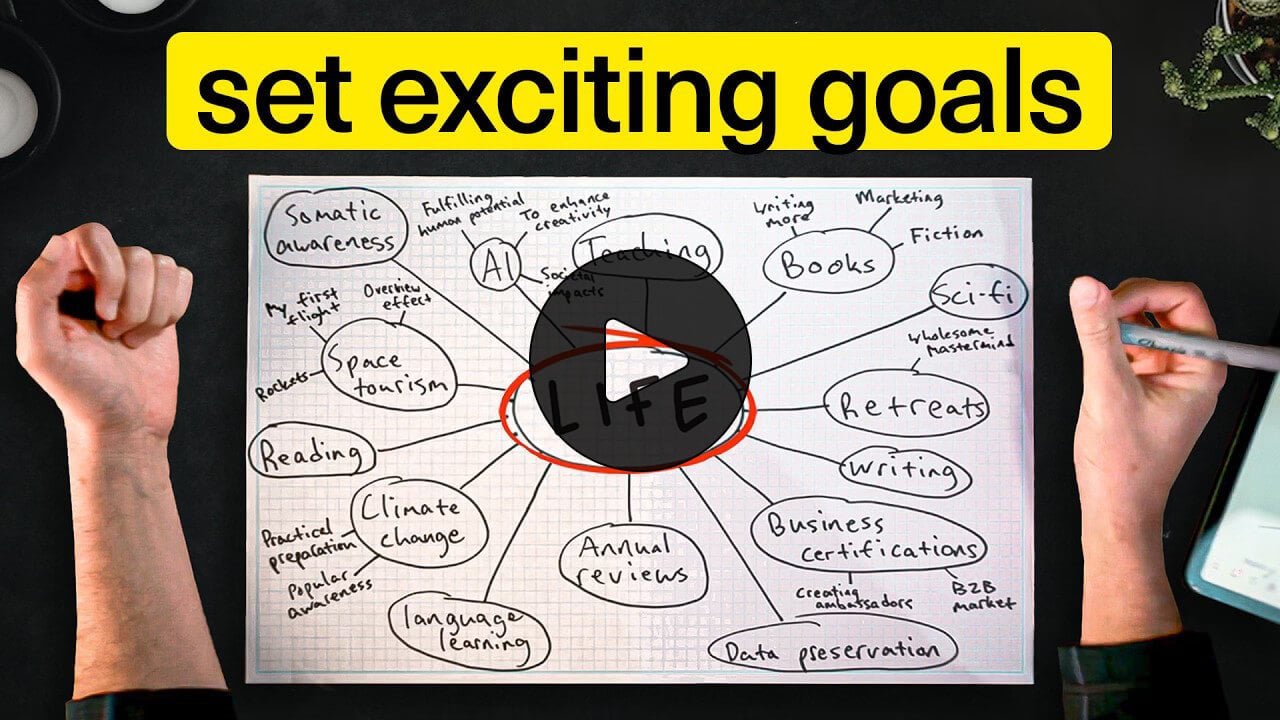
I’m “excited” to try this excitement map approach in defining goals that come from within.
 Want to join my inner
circle?
Want to join my inner
circle?

Join a club that pays you back handsomely through knowledge and skills that help you get 1% better every day.
For a one-time fee, yes, not a subscription, you get:
- A growing collection of member-only series and guides
- 23 highly actionable book summaries
- Invite to a member-only Discord community
- 23 hand-picked app deals that save you good money
- Flat 50% off on other Hulry products like apps, books and more
- My eternal gratitude for funding my work ❤️

Hi! 👋 I'm Rahul, the person behind Hulry and the one who sent you this newsletter.
Thank you for reading this issue.
MADE WHILE LISTENING TO
 Kabira (Encore) by Harshdeep & Arijit Singh
Kudlu Road, Hosapalya, Bangalore, India — 560068
Were you forwarded this newsletter? Get your own subscription here.