
One thing I've always preferred in Notion over Google Sheets while working with tables is how easy it is to format columns and create filtered views without relying on complex formulas.
Finally, Google Sheets has a new Table widget that fills much of that void.
We can now select an entire spreadsheet or a range we want to work with, right-click and choose Convert to table from the context menu:
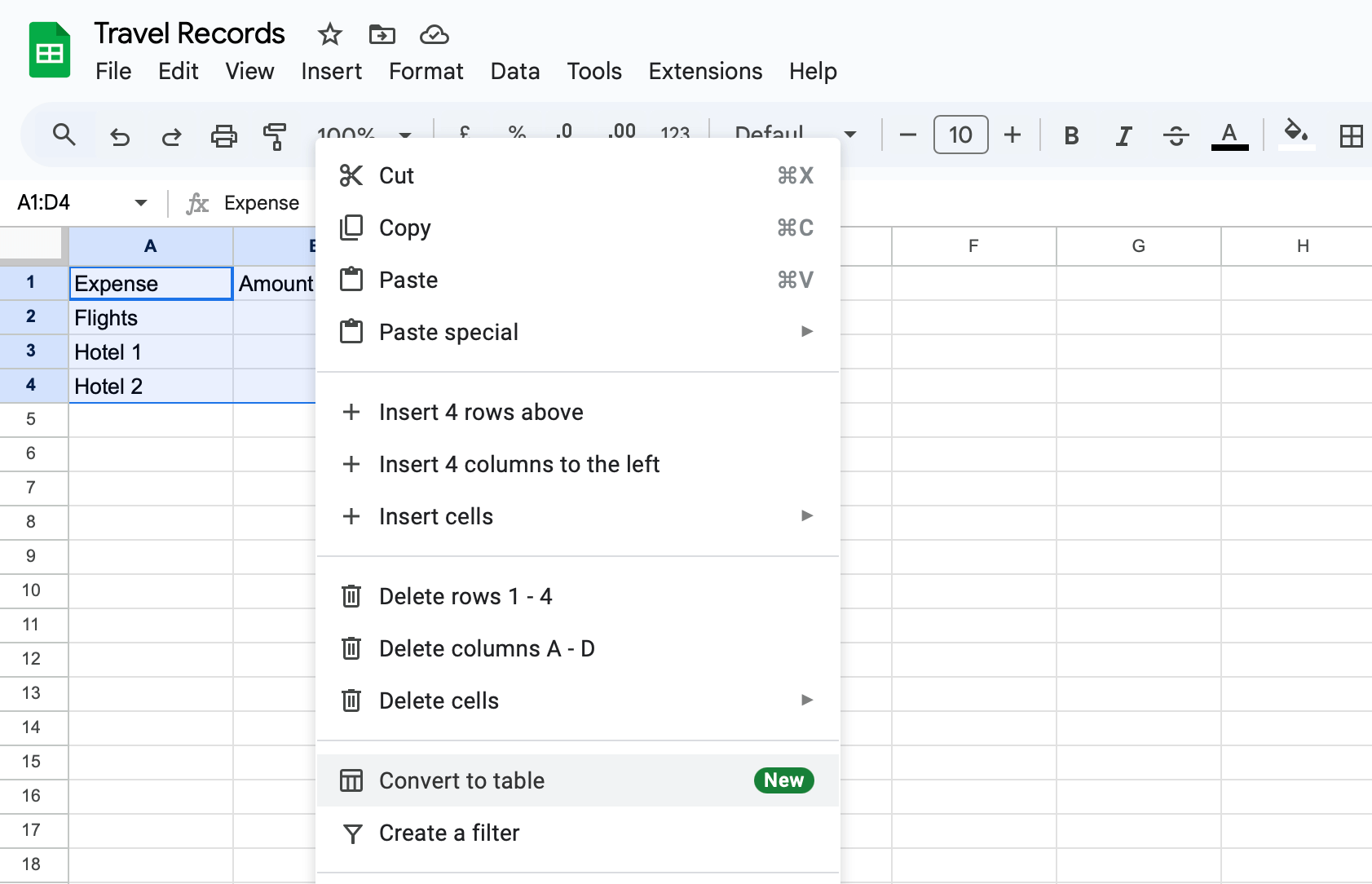
This converts the selected spreadsheet data into a well-formatted table that's easy to work with.
In this table, we can click on a column and edit the column type to show all values in a specific format, such as currency:
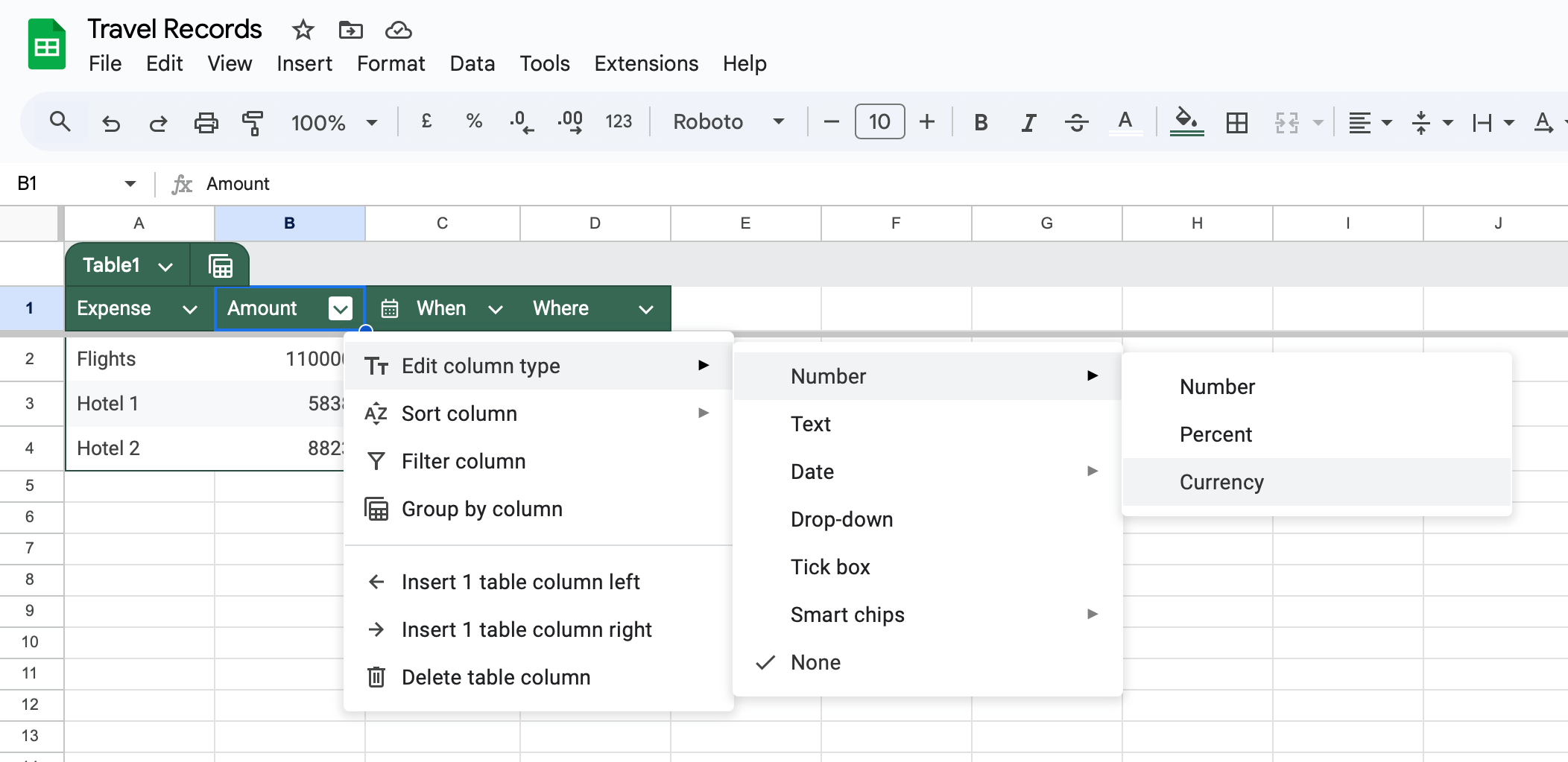
The header row gets distinctly formatted and frozen for easy scrolling as soon as we create a table, but we can also quickly change the header row colour from the table options:
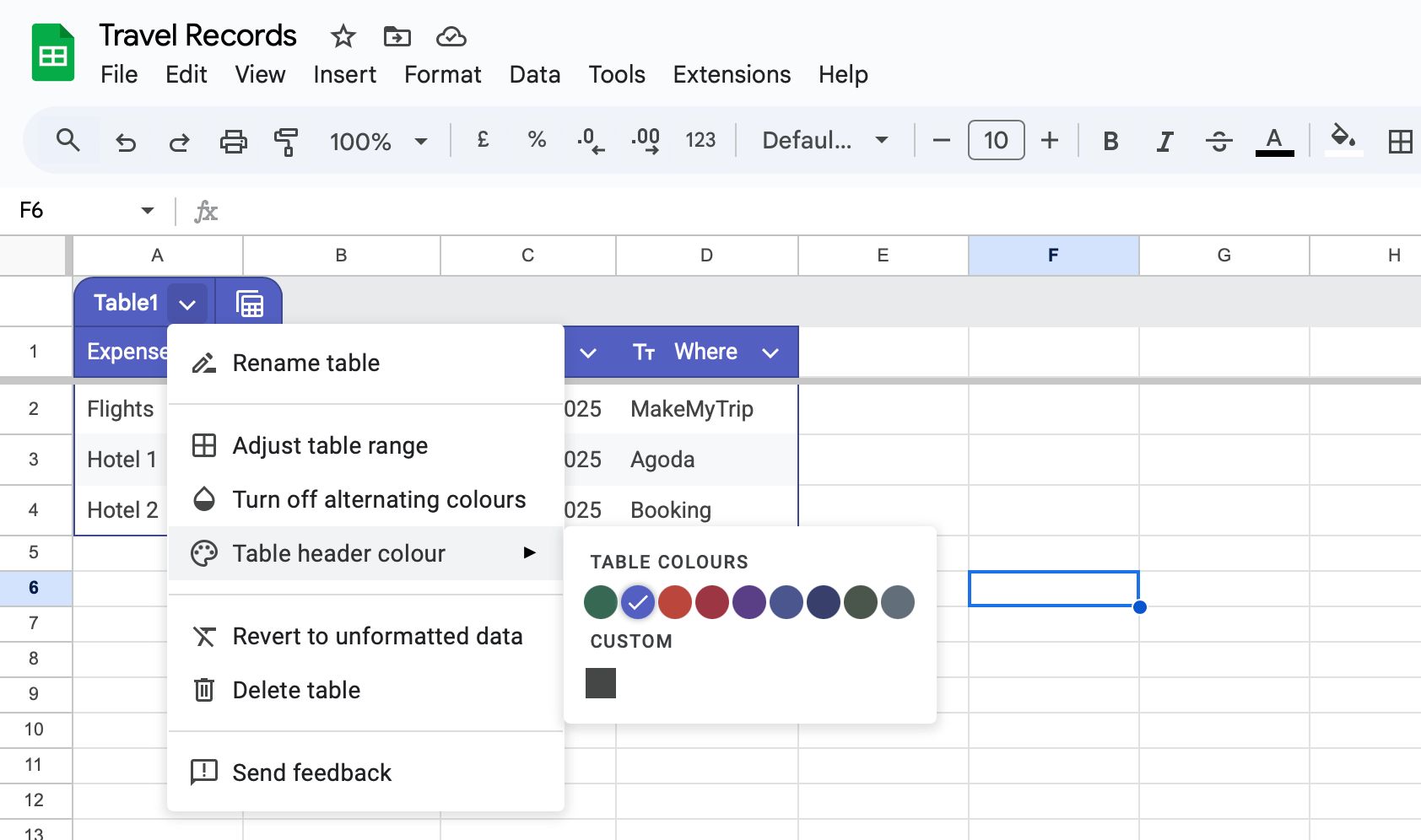
But what I loved the most about this new Table widget is that it's now easy to create filtered or grouped views to work with our data.
Clicking on the Views button beside the table name gives us options to create new views or switch to existing ones like this:
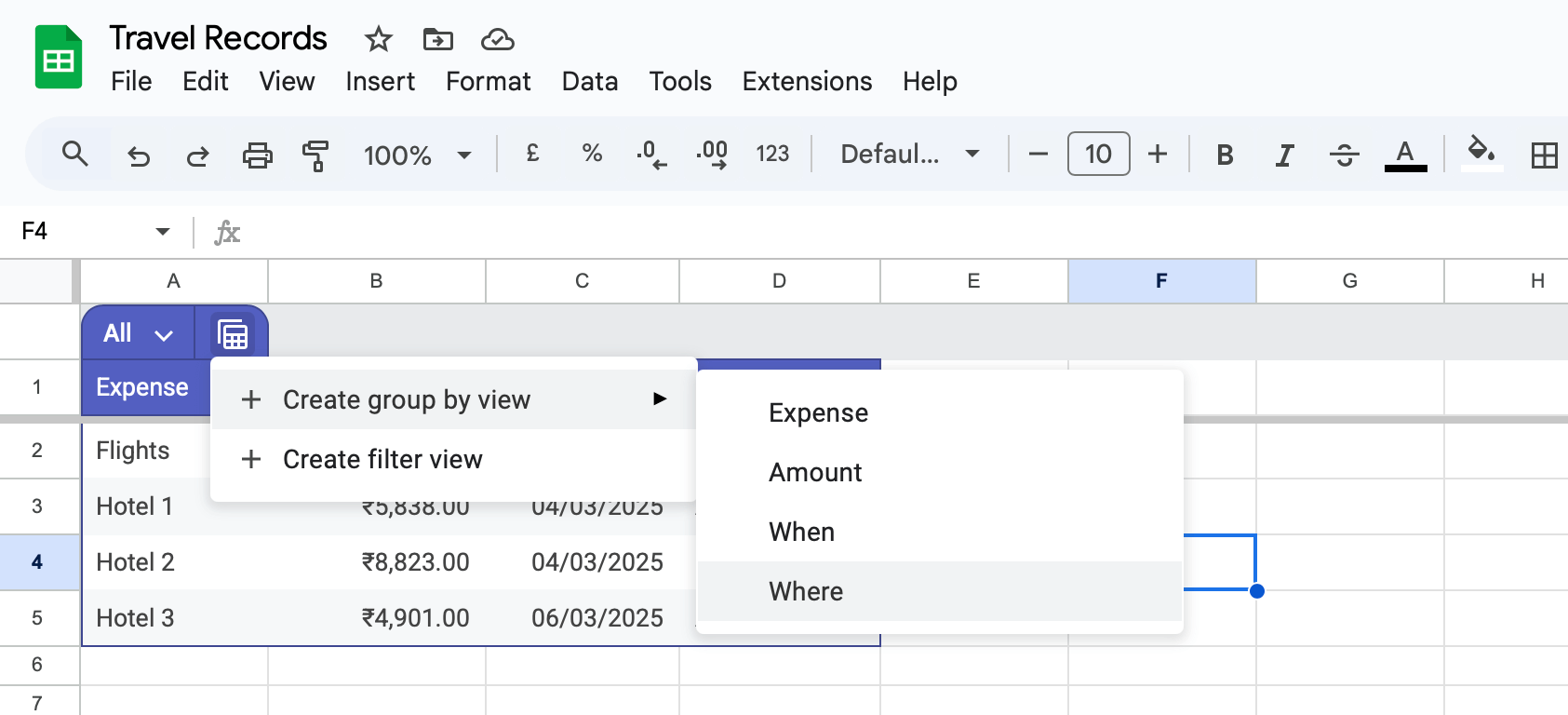
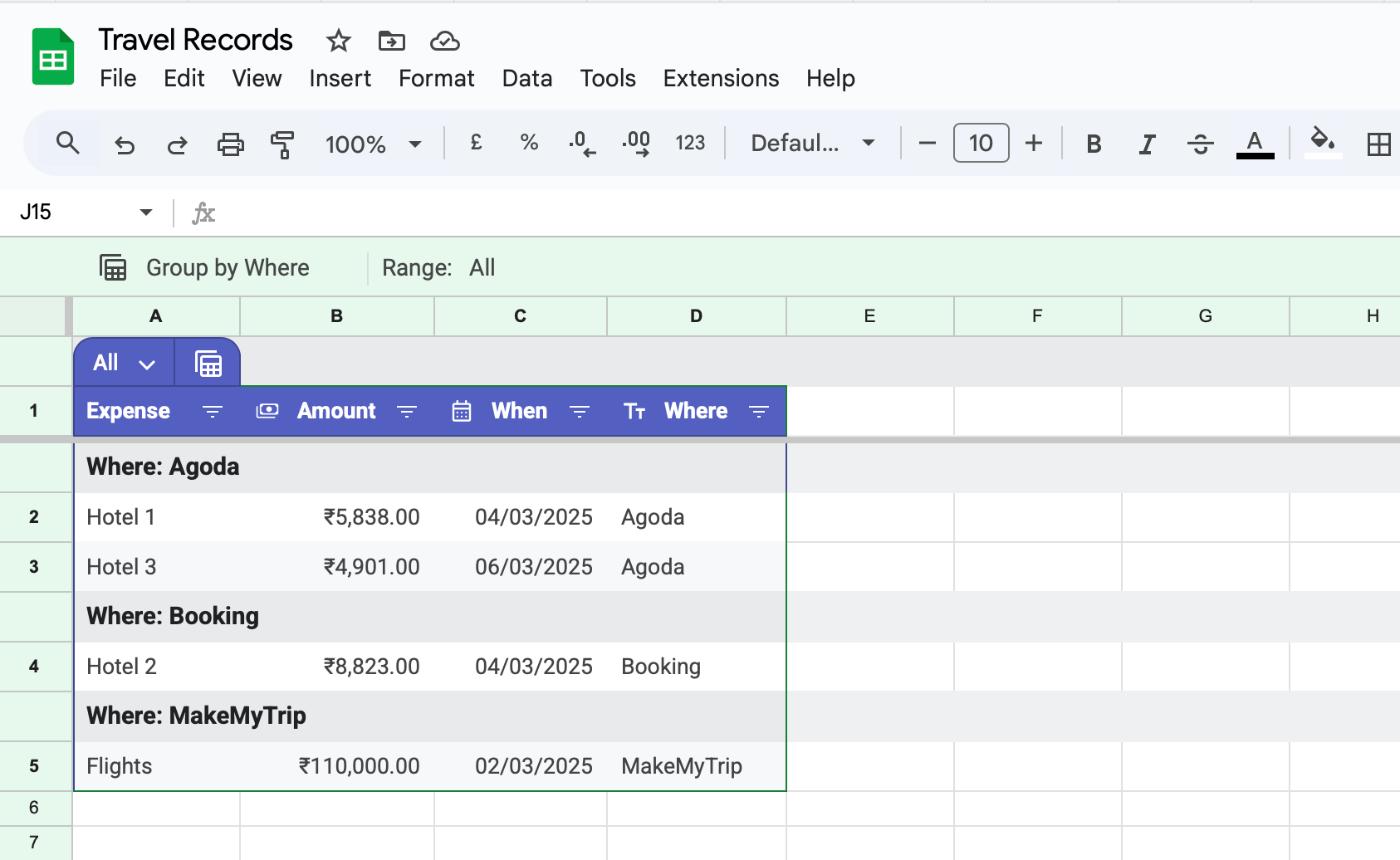
For example, using this option, we can quickly group all travel expenses in the table by each merchant to see where we have spent the most:
If you've been using Google Sheets at work or at home, try out this new Table widget.
It can make it easier to interpret and process large data sets without writing complex formulas or making much manual effort to format a table.
Now, speaking of easing your work, have you tried OneTap yet?
Before you move on to the rest of this newsletter issue, here are a few words from:
 This Week's Sponsor
OneTap: Copy & Paste Clipboard
Are you constantly copying and pasting things manually? Check out OneTap. Powered by OneTap Shortcuts, it lets you attach content to shortcuts so you can copy and paste it instantly whenever you need.
Download OneTap today and start 2025 with a revolution—stop manual copying and pasting!
Sponsorships are paid callouts seen by over 4,160 people every Friday. Promote your product or service.
 Your Next Read
Business
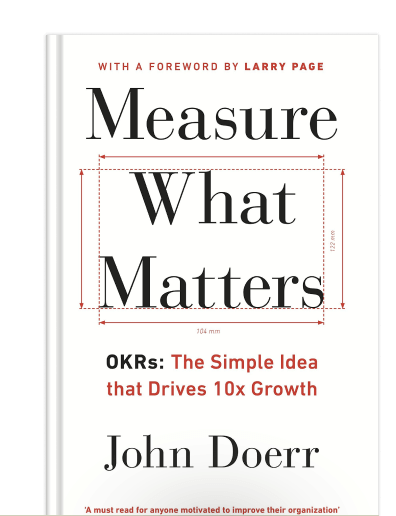
OKRs are an effective way to grow a company, and even oneself, when they are meaningful and contribute to our long-term vision.
★Read summary & notes for this book
 Apps & Services
Panorama mode that's pleasing to the eyes
A slightly different note-taking approach
9,072 well-crafted icons for your projects
 Handy Shortcut
⌘
Shift
▲/▼
 Interesting Reads
 Longform
16 min read
11 min read
 Watch Next
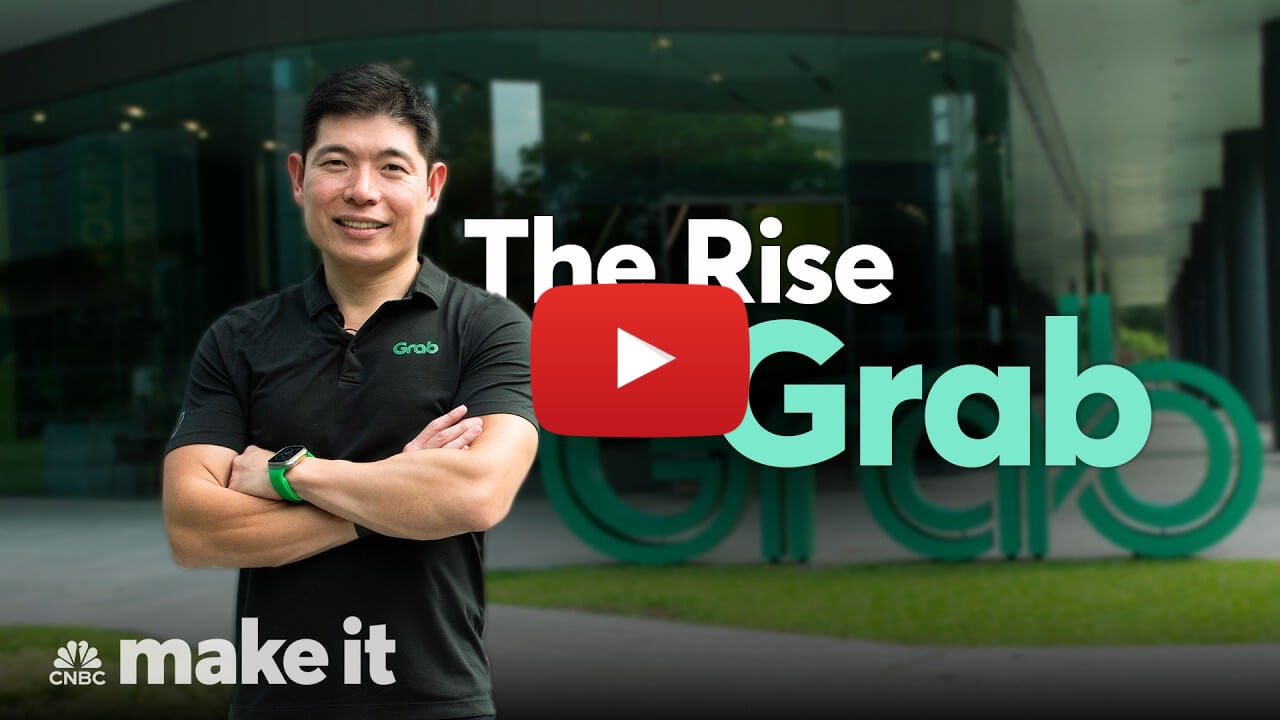
An interview with Anthony Tan, co-founder of Grab, where he candidly talks about the origins and struggles of building his billion-dollar company.
 Quick Feedback

If you've enjoyed reading this newsletter issue, you'll love the member-only articles, book summaries and community access that come with a Hulry Plus membership.
Become a MemberKudlu Road, Hosapalya, Bangalore, India — 560068
Were you forwarded this newsletter? Get your own subscription here.