
Around last week, the thought of exams popped into my mind.
Not that I was preparing for one, but the general essence of it. You're allotted a fixed time and must do your best work during that time.
Once that time's up, you put your pen down, submit your paper and make peace with being evaluated on whatever you've managed to write in the time. No extensions.
This method has two benefits:
First, it primes our minds for intense focus.
Whether we move up a class in school or fail the test and repeat the subjects depended on how well we did in these 2–3 hours. Therefore, regardless of the number of distractions around us, we learned to focus on the task at hand, which was writing the paper.
Secondly, exams taught us not to dwell on being perfect.
With limited time, we had to manage our time efficiently and not spend so much on a single question that we missed the twenty others. We learned to be okay with a good enough answer and move on.
These are all crucial elements of working on a task that we can apply in our daily work — especially now.
With hundreds of distractions around us and the comfort of hiding behind the mask of perfection, many of us often struggle to finish anything on time.
I've spent hours writing and polishing articles that I estimated to be a 2–3 hour job because I wasted time checking my phone for the 10th time or worrying that what I'm writing is not good enough.
While maintaining a quality standard in our work is crucial to stand out in an ocean of botched jobs, aiming to be 85% there and imposing strict deadlines can help curb procrastination and perfectionism.
After this epiphany, I've been experimenting with setting timers with live countdowns to recreate that examination mood while working, and it has been going well so far.
I'll report further on how this pans out over an extended period in the coming weeks.
For now, feel free to try this approach if you're struggling to manage distractions and complete your tasks on time. It might help you, too.
In other news, I've managed to create a macOS shortcut that lets me clip highlights from webpages opened in Safari into a note in Apple Notes.
The shortcut checks for any existing notes in my workspace for the website I'm clipping from and adds new highlights to the note if one's already there. Otherwise, it will create a new note with the article title and link.
This is what a note with highlights looks like:
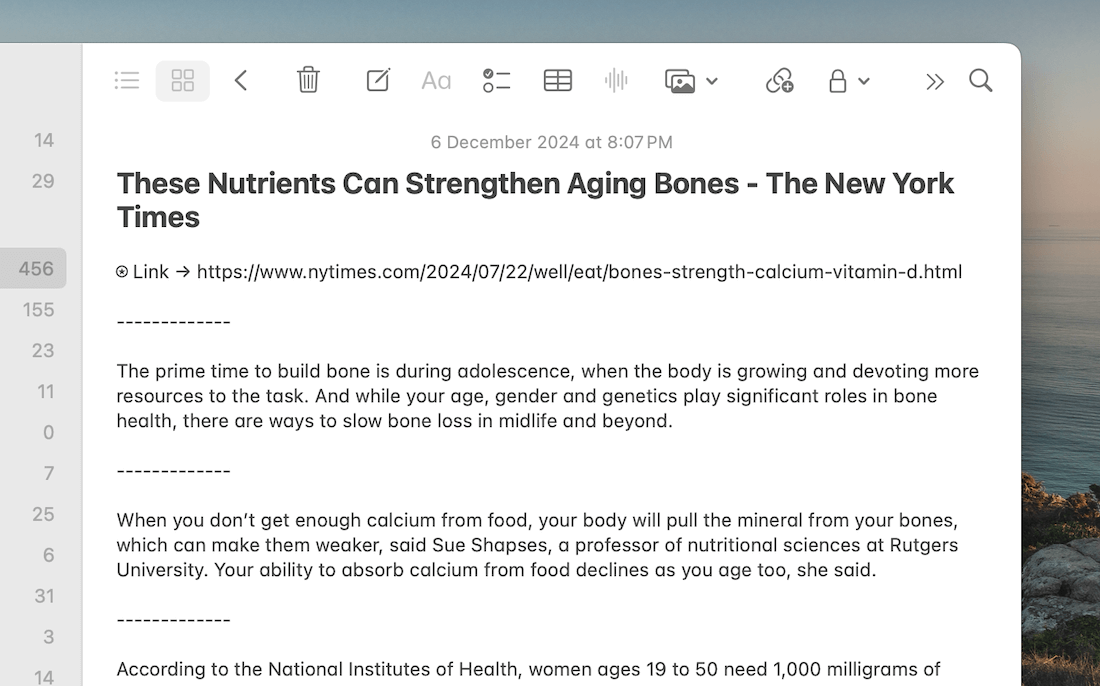
All highlights from an article are tucked into a single note for later reference.
The shortcut works while browsing webpages on Safari in macOS and can be conveniently triggered by selecting a passage and pressing a keyboard shortcut.
If you're a Hulry Plus member, you can find a link to this shortcut in the #shortcuts channel of the member-only Discord community.
Now, before you move on to the rest of this newsletter issue, here are a few words from:
 This Week's Sponsor

Thrive in 2025. With Intogreat, uncover what’s holding you back and gain the tools to build the life you want. Your journal is your companion for reflection, growth, and calm.
"Intogreat helps raise awareness of the issues holding me back with realistic solutions to grow. The journal was the perfect addition to my daily routine.” – Marilyn, Intogreat Member, CA
Join today and claim your free journal.
Sponsorships are paid callouts seen by over 4,167 people every Friday. Promote your product or service.
 Your Next Read
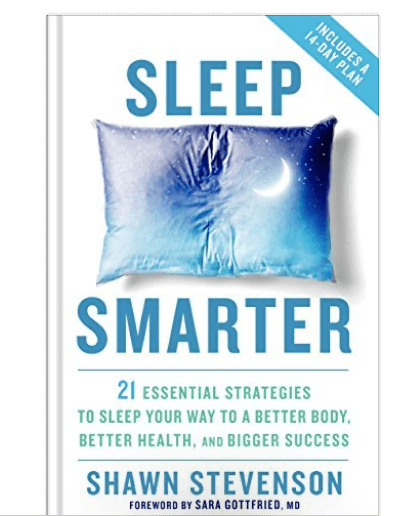
Health
Sleep is vital for good health, and yet we often sacrifice it for productivity. This book will teach you some tiny changes you can make to improve your sleep over time.
★Read summary & notes for this book
 Apps & Services
Your AI copilot on macOS
Tweak your Gmail inbox to be more useful
A beautiful daily mood tracker
 Handy Shortcut
⌘
T
 Interesting Reads
 Longform
6 min read
6 min read
3 min read
 Watch Next

A well-illustrated, science-backed video on how proper breathing can help reduce anxiety and stress. I’m going to try the cyclic sighing technique mentioned here.
 Quick Feedback

If you've enjoyed reading this newsletter issue, you'll love the member-only articles, book summaries and community access that come with a Hulry Plus membership.
Become a MemberKudlu Road, Hosapalya, Bangalore, India — 560068
Were you forwarded this newsletter? Get your own subscription here.