
I've been using the Apple Mail app as my default mail client on my phone and laptop, and it's time I share some of the handy tricks I've learnt along the way.
Starting with:
1. Open links in the background
You can open links from emails in your default browser without disrupting your flow by right-clicking on a link and choosing Open Link Behind Mail:
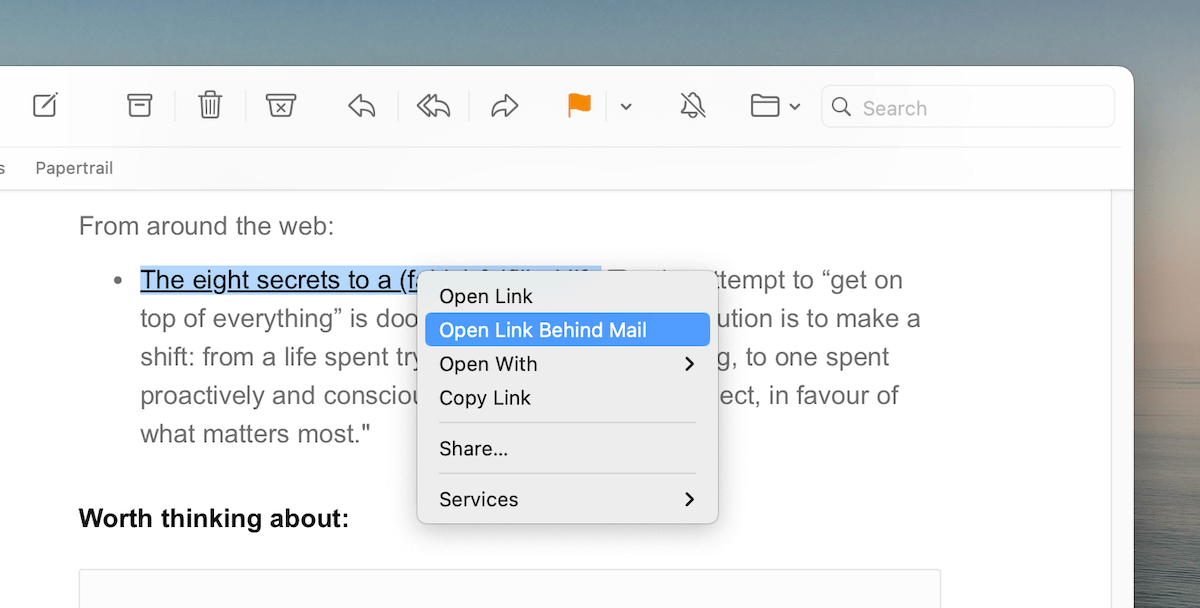
This is handy while reading multiple emails at a stretch or while opening links from a newsletter like this one.
2. Have a reply-later queue
The Mail app allows flagging emails with coloured flags to help locate them later for processing.
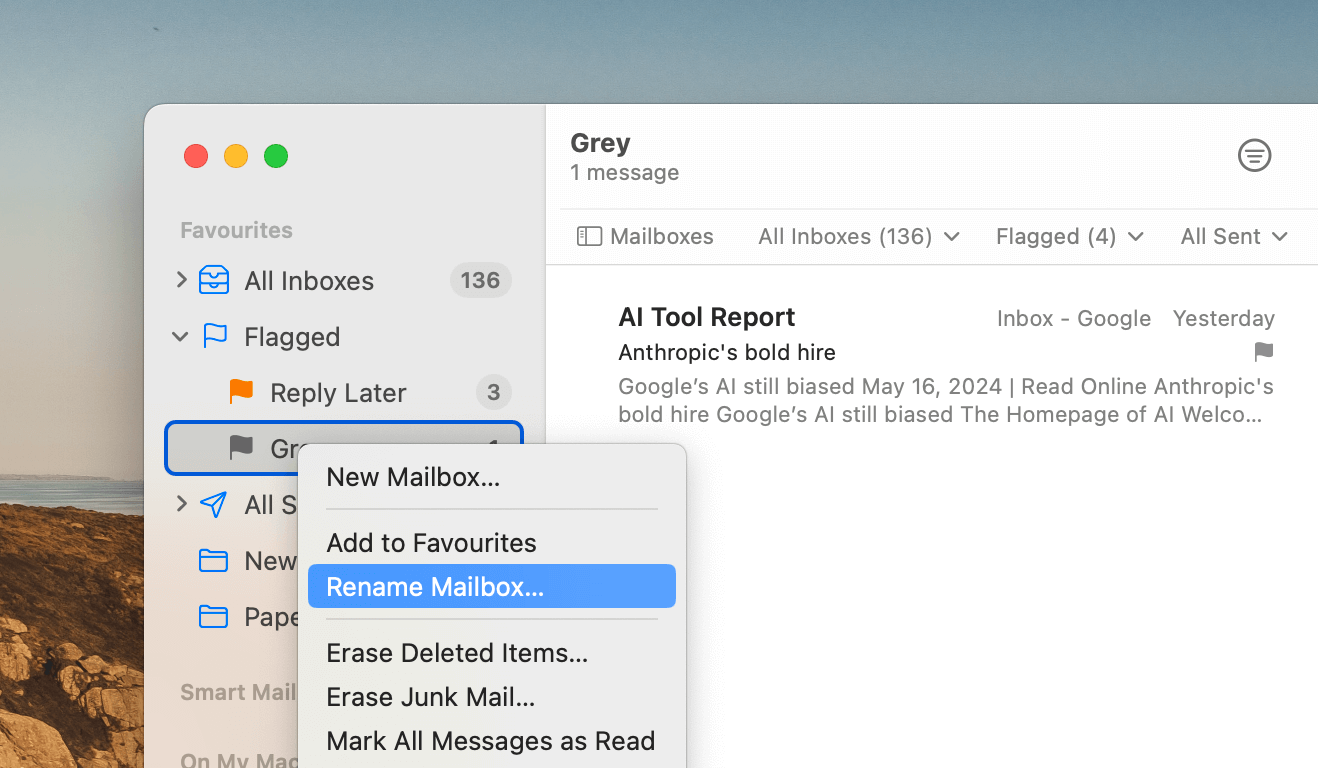
I use this feature to set up a reply-later queue to set aside some emails for replying when I have the time.
Once you've flagged an email with a colour of your choice, open the Mailboxes sidebar with ⌘ + ⌃ + S, expand the Flagged section and right-click on a flag to rename it to something meaningful:
3. Have easy access to your labels
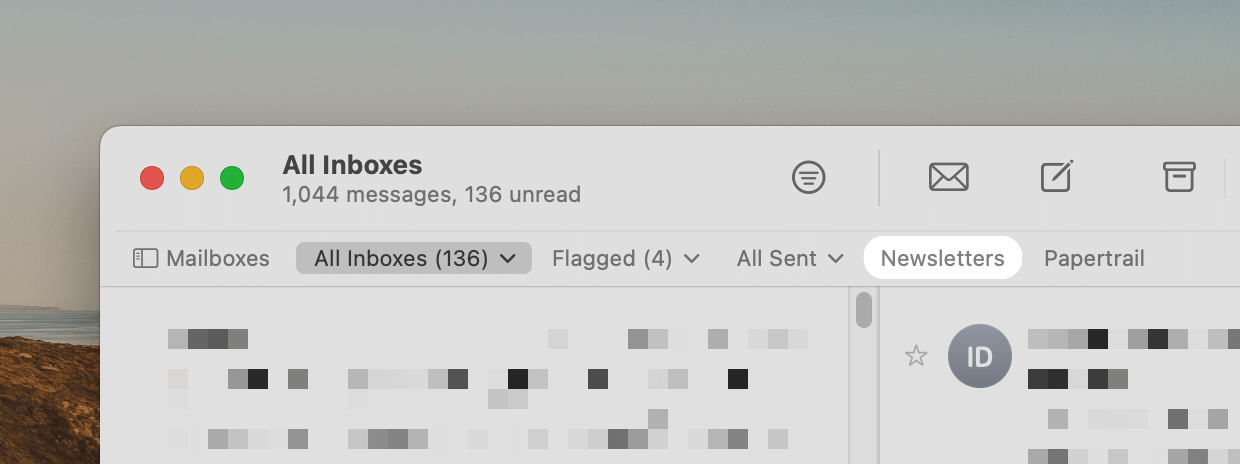
I have two labels in my inbox that auto-sort new emails using Gmail filtering rules to keep my inbox clean: Newsletters and Papertrail.
On the Mail app, I can easily access emails tagged with these labels from the Favourites bar:
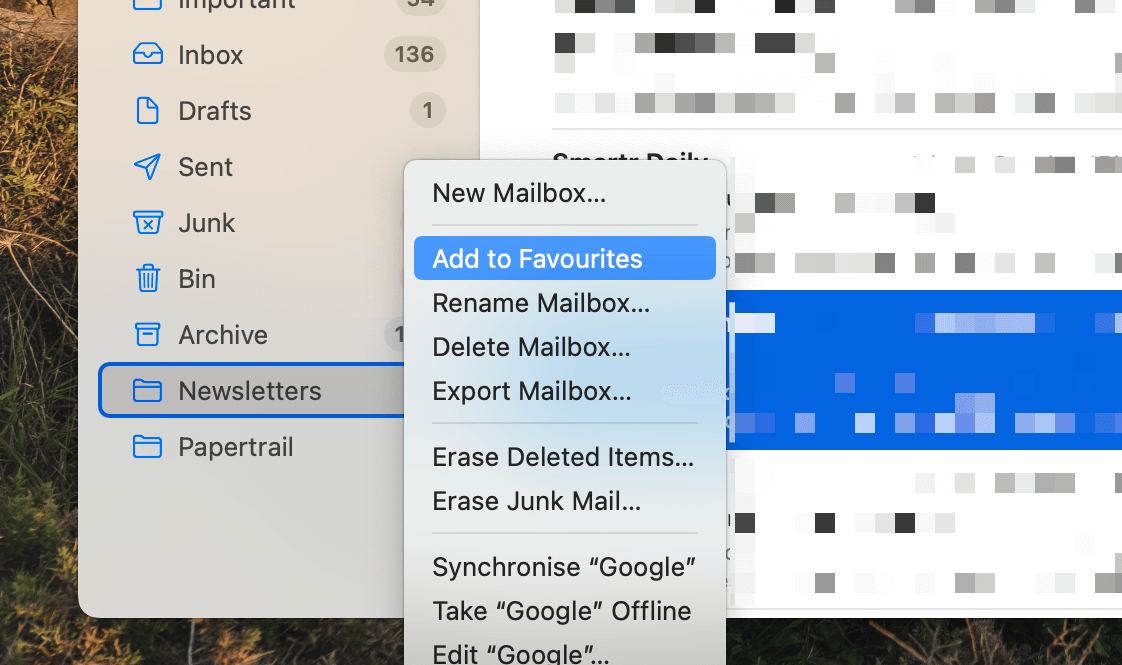
If you use labels to tag incoming emails, add your frequently used ones to Favourites in the Mailboxes sidebar by right-clicking a label and choosing Add to Favourites:
If you don't see the Favourites bar on your Mail app, you can toggle it from View → Show Favourites Bar to show it.
That concludes the list, but if you have an additional tip or a workflow that helps you every day, I'd love to know. Hit reply to this email and let me know.
Now, let's move on to the rest of this newsletter issue:
 Your Next Read
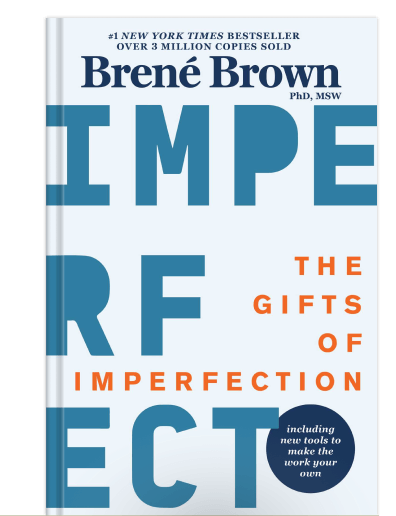
Personal Growth
Find 10 guideposts in this book that'll help you let go of chasing perfection and help you cope better with shameful feelings.
 Apps & Services
Powerful screenshot tool for macOS
Modern AI-powered RSS reader
Low-cost Zapier alternative
 Handy Shortcut
⌘
⌃
2
 Interesting Reads
 Longform
20 min read
1 min read
12 min read
 Watch Next

Like Peter, I sometimes shoot photos and write reflections just for the books and not for sharing. It keeps the activity alive and fun.
 Other Good Newsletters
 Quick Feedback

A significant amount of effort and time goes into bringing this newsletter and the articles over at hulry.com. Support me on this journey by buying me some coffee.
Buy me a CoffeeKudlu Road, Hosapalya, Bangalore, India — 560068
Were you forwarded this newsletter? Get your own subscription here.